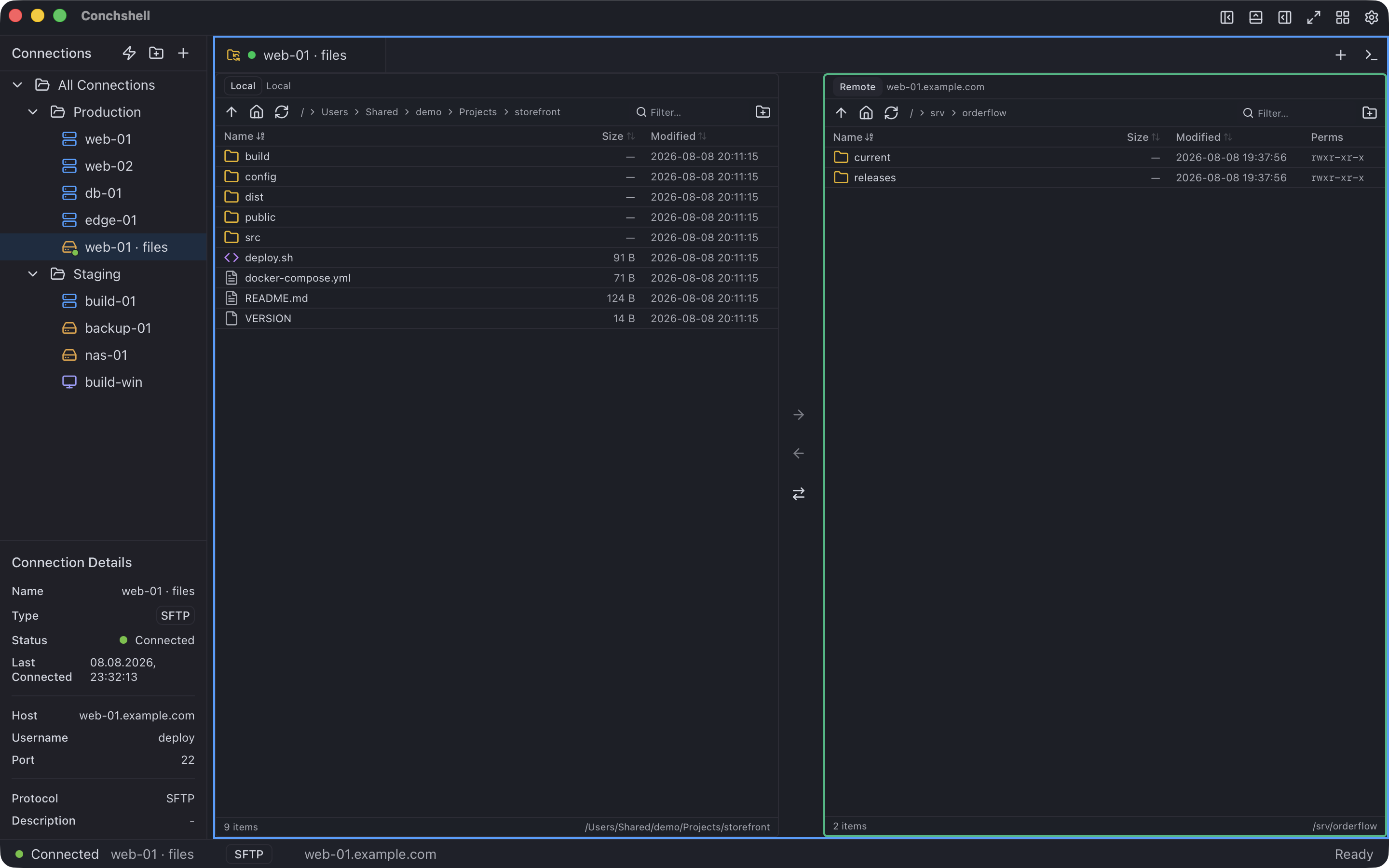
An FTPS client for Mac, Windows and Linux
Conchshell speaks FTPS — FTP over TLS — in the same two-pane file manager it uses for SFTP, on macOS, Windows and Linux. Version 2.16.0.
The server's certificate is remembered the first time you connect, so a self-signed one works without turning verification off. It does explicit FTPS in passive mode and nothing else; the rest of what it does not do is listed below.
What it does
Explicit FTPS, encrypted both ways
It connects on the FTP port and upgrades with AUTH TLS, then protects the data connections too (PROT P), so listings and file contents travel encrypted as well as the password. TLS 1.2 and 1.3.
The certificate, pinned on first use
The first connection shows the fingerprint of the server's key in a system dialog. Accept it once; from then on a different key stops the connection until you confirm the change. The certificate authority, host name and expiry date are not checked — the pinned key is the check.
Passive mode that stays on the server
Data connections go to the server you connected to, whatever address its passive reply names. That keeps a hostile reply from pointing the client at your own network, and it gets past a server behind NAT that reports its private address.
The same two panes as SFTP
Your computer on one side, the server on the other: drag and drop, files and folders dropped in from the desktop, whole folders transferred, and a queue that marks each file done or failed, with the reason.
Compare, then sync
Sync directories compares a local folder with a remote one, shows what would move and what conflicts, takes exclusions, and transfers only after that — in one direction at a time, local → server or server → local.
Plain FTP when you must
Plain FTP and anonymous logins are there for servers that offer nothing else, with a warning that the password and the files travel unencrypted.
SSH and SFTP next door
If the same host also runs SSH, an SFTP or SSH connection sits in the same list, with a terminal and host monitoring.
What it does not do in 2.16.0
FTPS servers differ more than most. Check yours against this list first.
No implicit FTPS
Servers that only offer implicit TLS on port 990 will not connect. The server has to accept AUTH TLS on its FTP port.
Passive only
There is no active (PORT) mode. The server's passive port range has to be reachable from your machine.
TLS 1.2 or newer
A server that stops at TLS 1.0 or 1.1 will not connect.
No proxy, no jump host
FTP and FTPS connections go direct. Proxies are for SSH, SFTP and RDP connections, jump hosts for SSH and SFTP.
Password or anonymous
There is no client-certificate login.
Windows IIS listings
IIS in its default MS-DOS listing style is misread in 2.16.0: folders show up as files. Setting the FTP site's directory listing style to UNIX in IIS Manager fixes it.
Transfers, as they are in 2.16.0
One file at a time, progress per file rather than per byte, uploads read into memory before they are sent, and a file of the same name on the server replaced without asking. No resume. Syncing from the server only updates files you already have locally; files that exist only on the server are not fetched.
No editing in place
Files on an FTPS server cannot be opened in your editor and saved back; that works from an SSH connection's file panel. On macOS, Rename and New Folder in the two-pane view also do not open their name prompt in 2.16.0.
What you need
Systems
macOS 12 or later on Apple silicon or Intel; Windows 10 and 11, x64; Linux x86_64 as .deb, .rpm or AppImage; Android 7.0 or newer, arm64, as an APK
Download
From 7.4 MB for the Windows .exe to 83.8 MB for the Linux AppImage; every build is on the
download pageServer
An FTP server that accepts AUTH TLS (explicit FTPS) and passive mode
Account
Not required — there is nothing to register
Price
Free. Syncing connections between your own machines is the one paid feature — $19 once
Questions about FTPS
What is the difference between FTPS and SFTP?
FTPS is the FTP protocol wrapped in TLS, with a control connection and separate data connections. SFTP is a different protocol that runs inside SSH over a single connection. Conchshell does both, in the same two panes; if the server has SSH, SFTP is usually the simpler choice.
Will it connect to a server with a self-signed certificate?
Yes. The certificate is not checked against a certificate authority; its key is shown for you to confirm on the first connection and remembered after that.
Does it support implicit FTPS on port 990?
No. Only explicit FTPS, where the client connects on the FTP port and asks for TLS with AUTH TLS.
Why does a Windows server show folders as files?
IIS lists directories in MS-DOS style by default, and 2.16.0 reads only the UNIX style. Switch the FTP site's directory listing style to UNIX in IIS Manager.
Is it free?
Yes. FTPS, SFTP, SSH and RDP are all in the free build, with no account. The one paid feature is syncing saved connections between your own machines, $19 once.
Does it work behind NAT or a firewall?
In passive mode, yes, as long as the server's passive port range is open to you: the client always opens data connections to the server's own address rather than the one in its reply.
Related
The same application, from the side of the job you came for.
 Conchshell