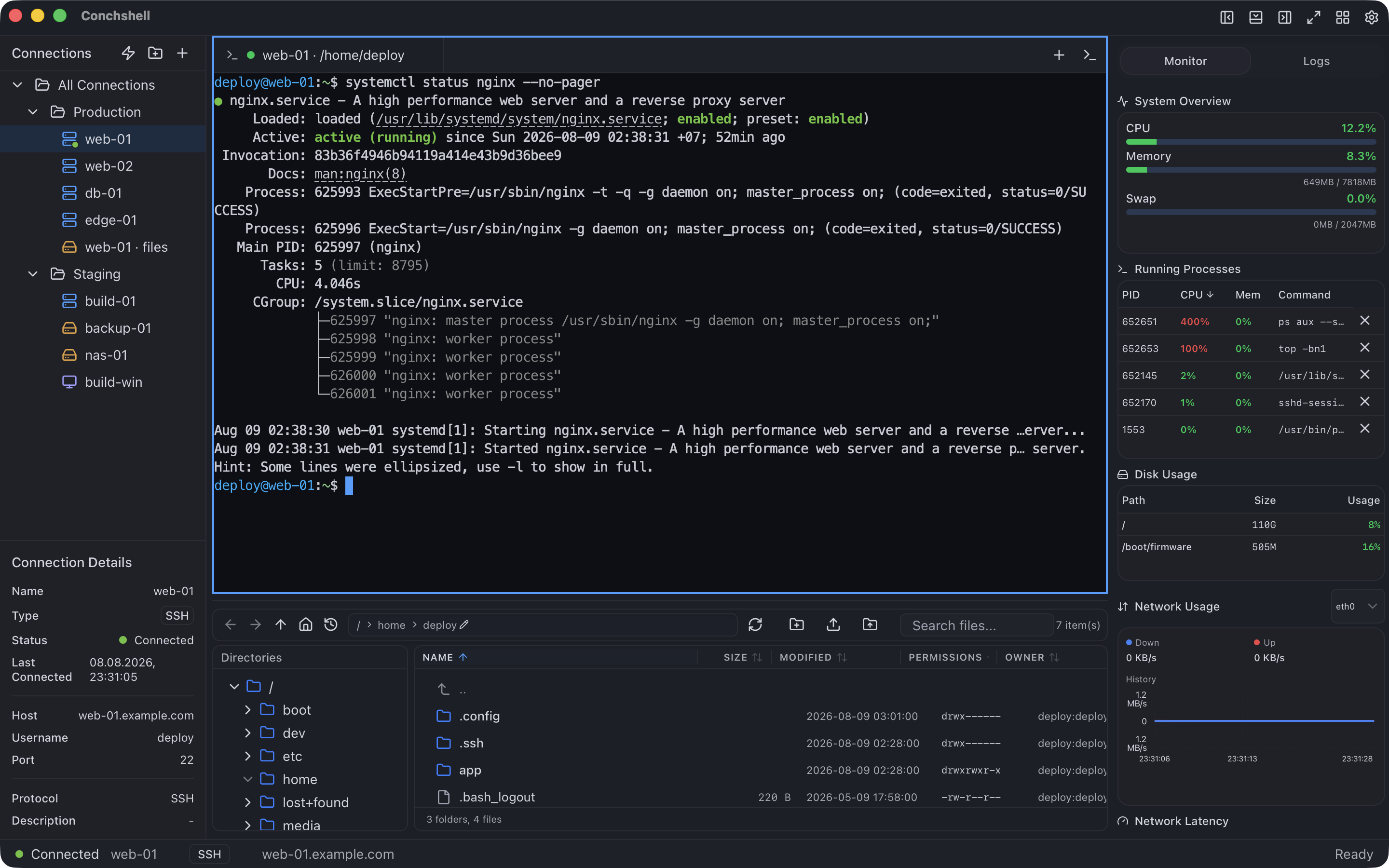
A free RDP client for Mac
Conchshell opens Windows Remote Desktop sessions on a Mac from the same connection list as your SSH terminals and file transfers. Each session gets a window of its own, which can go full screen; its tab in the main window brings it to the front or ends it. Version 2.16.0, for macOS 12 Monterey or later on Apple silicon or Intel.
It connects only to hosts that use Network Level Authentication, and it leaves some things out: sound, shared drives, a gateway, a second monitor. They are listed below, before you install anything.
What it does on a Mac
Each Windows desktop in its own window
An RDP session opens in a window of its own, which can be moved to another display or taken full screen and keeps its size and position for that connection. In the main window the session has a tab next to your SSH and SFTP tabs: it brings the window to the front, and closing it ends the session. Fit to window or 1:1, and a toolbar that sends Ctrl+Alt+Del and the Windows key. The desktop is asked for at the size of your screen, or at 1024×768, 1280×720 or 1920×1080.
Cmd does what your fingers expect
By default Cmd+C, Cmd+V and the other Cmd shortcuts arrive in Windows as their Ctrl versions. Per connection, Cmd can be the Windows key instead, or left alone. Cmd+Q, Cmd+W, Cmd+M and Cmd+H always stay on the Mac, the right Cmd key is the Windows key, Cmd+Arrow becomes Home or End, and Cmd+Shift+Esc hands the keyboard back to the Mac.
Copy and paste across
Text copied on the Mac pastes in Windows, and text copied in Windows pastes on the Mac with an ordinary Cmd+V. Files copied in Finder paste into Explorer. Paste as typing (Cmd+Shift+V) types the clipboard into the session instead, for a field or a console that will not take a paste. Text a password manager marks as concealed is never offered to the remote host.
The host's certificate, pinned
The first connection shows the fingerprint of the host's key in a macOS dialog. After that, a different key stops the connection until you confirm it. Self-signed certificates — what almost every Windows host has — work without switching any check off, because the key itself is what is remembered.
A proxy per connection
A SOCKS5, SOCKS4 or HTTP CONNECT proxy can sit in front of any RDP connection. If the proxy cannot be used, the connection stops instead of quietly going direct.
Next to the rest of your work
The main window holds SSH terminals, the SFTP and FTPS file manager and host monitoring over SSH, and RDP connections are saved in the same list, so the Windows build machine and the Linux server it deploys to sit side by side.
What it does not do in 2.16.0
Stated plainly, so you can rule it out in a minute rather than an evening.
Network Level Authentication only
Sign-in goes through CredSSP (NLA) with NTLM. A host with NLA switched off, or a server that does not offer it — xrdp in its default setup, for one — will not connect. Kerberos and smart-card sign-in are not supported.
TLS 1.2 on the host
The host has to offer TLS 1.2 with current cipher suites. Windows 10, 11 and Server 2016 onwards do out of the box; Windows 7, Server 2008 R2 and an unpatched Server 2012 R2 need their updates first, or they will not connect.
One screen, sized at connect
The session is one monitor at the size chosen when it connects. Resizing its window afterwards scales the picture rather than changing the remote resolution, and a session cannot span several displays.
No sound, drives or printers
Remote audio is not played, and there is no microphone, shared folder, printer, USB or smart-card redirection.
Files go one way
Files copied in Finder paste into Windows. Copying files in Windows and pasting them into Finder is not implemented; for that direction use a file share or an SFTP connection.
No gateway, no jump host
Remote Desktop Gateway is not supported, and jump hosts are for SSH and SFTP only. A host reachable only through a gateway is out of reach unless a SOCKS or HTTP proxy or a direct route gets you there.
The layout is Windows' layout
Keys travel as positions on the keyboard, and Windows turns them into characters with its own layout. If the Mac and the session use different layouts, punctuation can come out as a different character: switch the layout in Windows, or use paste as typing, which sends characters rather than keys.
A plain pointer
Windows' own pointer shapes — the text cursor, resize arrows, the busy spinner — do not come through in 2.16.0; a plain pointer is shown over the session.
What you need
Mac
macOS 12 Monterey or later, Apple silicon or Intel — separate native builds
Download
9.3 MB for Apple silicon, 9.9 MB for Intel
Windows side
Remote Desktop turned on, with Network Level Authentication required — which Windows sets by default when Remote Desktop is enabled on Pro, Enterprise and Server editions. Home editions cannot accept Remote Desktop connections at all.
Network
TCP 3389, or whichever port the host listens on, directly or through a SOCKS or HTTP proxy
Account
Not required — there is nothing to register
Price
Free. Syncing connections between your own machines is the one paid feature — $19 once
First launch
System Settings → Privacy & Security → Open Anyway; on macOS 12, System Preferences → Security & Privacy → General. Once, on the first launch; the
download page has the details.
Questions about RDP on a Mac
Is the RDP client free?
Yes. Remote desktop is part of the free build — no trial, no tier, no account. The one paid feature is syncing saved connections between your own machines, $19 once.
Why does a Windows host refuse to connect?
Almost always one of two things: Network Level Authentication is off on the host, or the host cannot do TLS 1.2. Turn NLA on in the host's Remote Desktop settings, or bring an old Windows up to date. A first connection also stops for the certificate prompt, which is expected.
Does copy and paste work between the Mac and Windows?
Text goes both ways. Files go from Finder to Explorer, not back. Cmd+Shift+V types the clipboard into the session instead of pasting it, for places that refuse a paste.
Can I use a domain account?
Yes — put the domain in the Domain field of the connection. Sign-in uses NTLM inside CredSSP, so a domain that has switched NTLM off will not accept it.
Can I reach a host through an SSH jump host?
Not in 2.16.0. Jump hosts work for SSH and SFTP connections; an RDP connection can go through a SOCKS or HTTP proxy, and there is no SSH port forwarding to build a tunnel with.
Does it run natively on Apple silicon?
Yes. The Apple silicon build is native arm64, so Rosetta is not involved.
Related
The same application, from the side of the job you came for.
 Conchshell